Features · live today
ZealMint Operations AI
The frontline work app, and the admin console supervisors run it from. AI-first, and made for India.
A shift on Ops AI
From punch-in to the supervisor's view.
One housekeeping attendant's morning, on the real app. Each step is covered in depth further down the page.
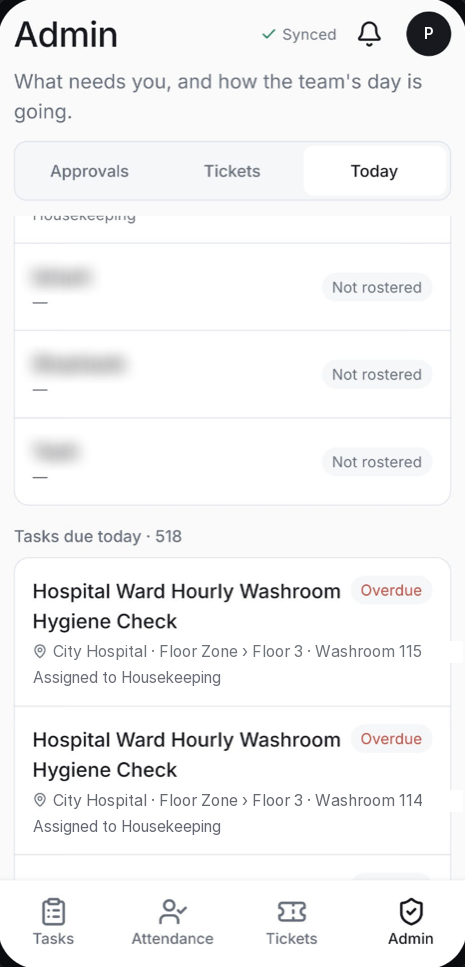
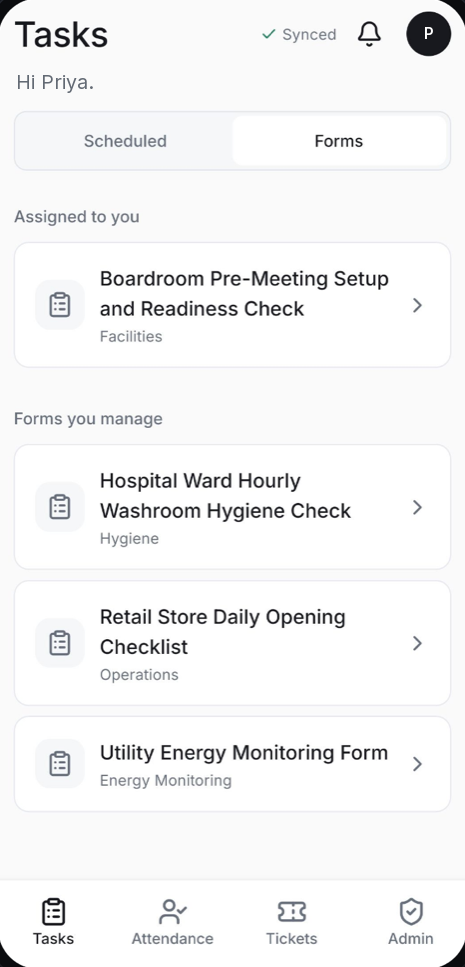
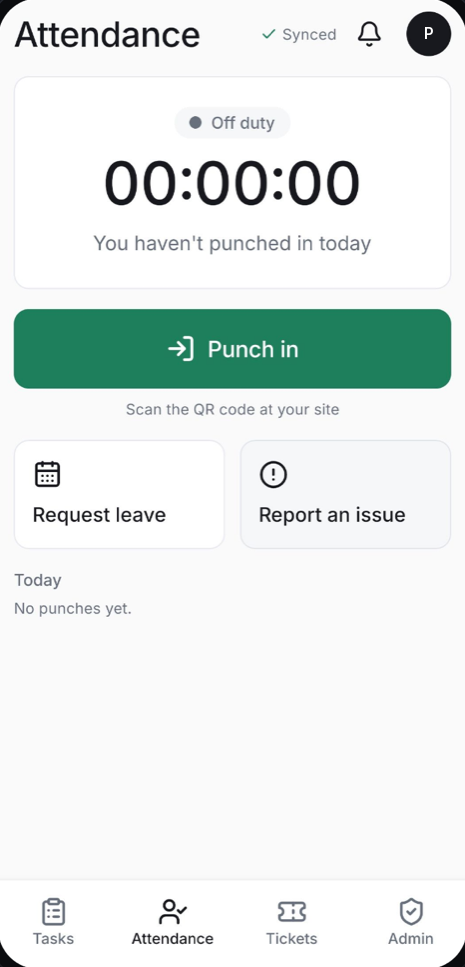
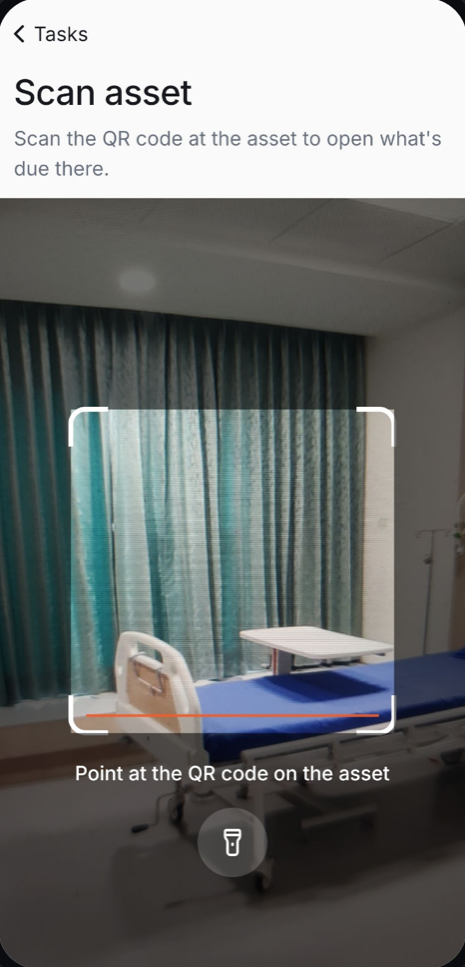
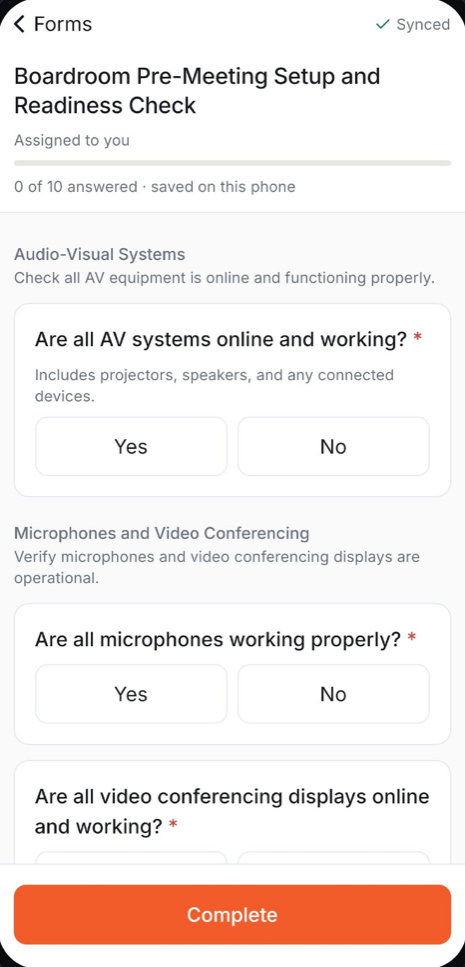
07:00 · Scan the code at the site to start the shift. Leave requests and missed punches live on the same screen.
01 · AI validation
Every photo checked while they're still in the room.
Every photo is checked the moment it's taken, against what it must show. A miss gets fixed in the same visit, not found in an audit.
A failing photo can't be submitted. Retake it.
What it checks
- Does it show what was asked for?
- Is it blurry, dark or a photo of a screen?
- Read the meter, gauge or label, and fill in the number
- Does the count or reading match what was typed?
- Is the condition acceptable: clean, stocked, undamaged?
- Count the items against the number expected
- Flag faces or personal details for review
You decide how strict
- Block, Warn or Flag only, set per field
- A confidence threshold and a number of attempts you choose
- Your own failure message, in place of the AI's reason
- Test a check on sample photos before you publish it
02 · AI form creation
Describe the checklist. AI drafts it.
Describe the form in a sentence, or upload the SOP PDF you already have. AI drafts it; you review and publish.
- Sections, question types, ranges and follow-ups, drafted for you
- Photo proof and AI checks suggested where they matter
- Opens in the builder as a draft: nothing reaches phones until you publish
- One click translates the finished checklist
03 · Made for India
Works the way Indian frontline teams work.
In their language, on their own Android phone, even with no signal. Built for the people doing the work, not just HQ.
- Hindi, Kannada, Tamil, Telugu and English today, with more Indian languages being added
- Sign in with a 10-digit mobile number. No email needed
- Fill checks offline; answers send themselves once, never twice
- Finished a minute late or after being offline? It's kept and marked late, never lost
04 · Proof on the spot
Proof it was done there, then.
A QR code on the door opens the right checklist and shows they were there. Photos carry the time and place.
- Scan a room or asset to open what's due there
- Camera photos, unless a field allows the gallery
- Signatures, voice notes and location
- Every answer keeps who, when and where
05 · Scheduling and attendance
The right check, to the right person, at the right time.
Schedules follow your sites down to the room. Attendance runs on the same people and sites, so rosters and checks always agree.
- Hourly to monthly schedules, by site, zone or asset, including overnight
- Unclaimed tasks anyone on the shift can pick up
- Rosters by shift, uploaded from a spreadsheet if you like
- Leave, site holidays, missed-punch requests with two-level approval, muster and pay reports
06 · Tickets and audit trail
Issues that get closed, and a record that holds up.
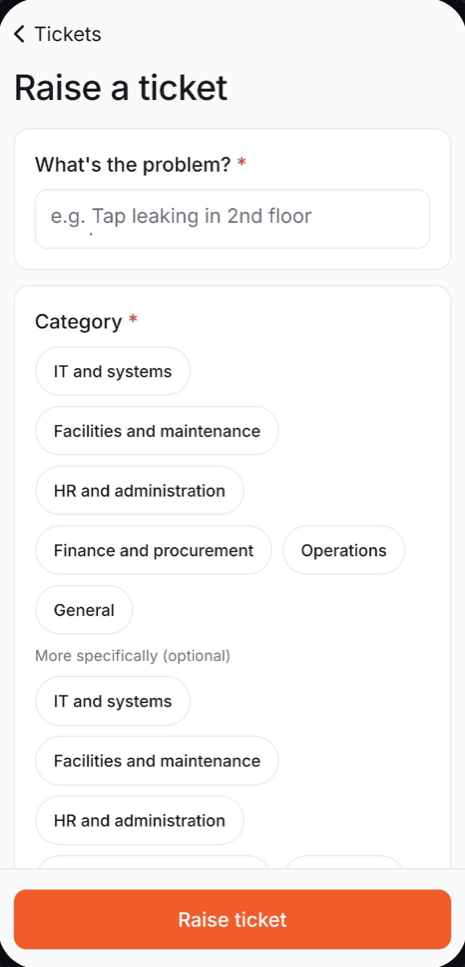
Raise a ticket with a photo. It reaches the right team, escalates if it slips, and closes only when the reporter says it's fixed.
- Routed by category to the team that handles it
- First-response and resolution deadlines by priority
- Missed deadlines alert the team lead and the department head
- Every change to people, sites and checklists logged with before and after
Also in the console
Everything else a supervisor needs.
Checklist builder and templates
Drag in questions, preview on a phone, publish. Start from the template library or from scratch.
Drafts that don't break the field
Edit a live checklist as a draft. Phones keep the published version until you publish again.
Completion and reports
On-time completion, missed checks, ticket response and resolution times, attendance reports.
AI reports
Pass, fail and override rates by form, field, site and department show where the work, or the checklist, needs attention.
Departments, sites and roles
Org Admins see everything, department admins their teams, staff their own work. Enforced in the database, not just the screen.
Alerts that reach someone
If a team has no lead yet, its alerts go to the Org Admins, so nothing is silently dropped.
See what your sites look like through ZealMint.
A short walkthrough, built around your own sites and checklists.